 DartSonic
Understand your throw.
DartSonic measures your throwing motion with sensors, video and hit pattern, detects typical mistakes and tells you why a dart misses – and what to work on. After every throw, by sound, voice and analysis.
Three steps from sensor to insight
Attach the sensor
One motion sensor on the wrist, optionally more on hip, elbow and shoulder, and your phone on a tripod as a camera if you like. Wristband, clip or tape – orientation does not matter, the sensor just has to sit firmly.
Just throw
DartSonic detects every throw automatically and learns your aiming posture by itself. No calibration, no button press between darts. With Autodarts the hit comes along.
Spot and fix mistakes
After every throw you know whether it was clean and what stood out – by signal tone, optionally by voice hint, and in the analysis with statistics, video and hit pattern. That lets you steer your training with purpose.
Measure, understand, train with purpose
From the second before the throw to the analysis over many weeks.
Detects typical mistakes
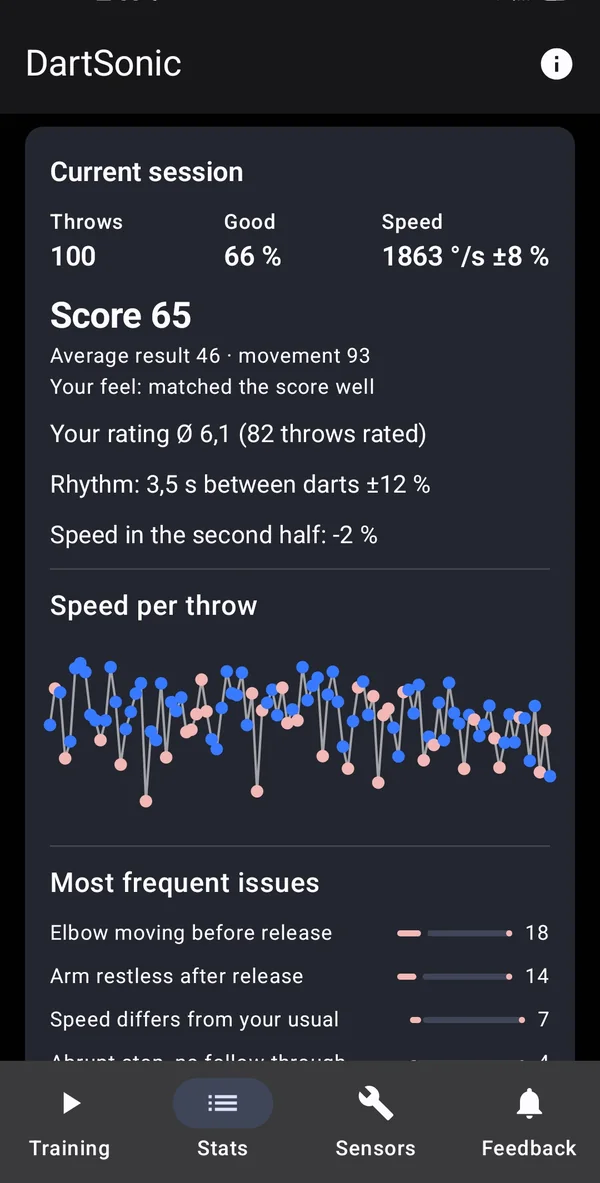
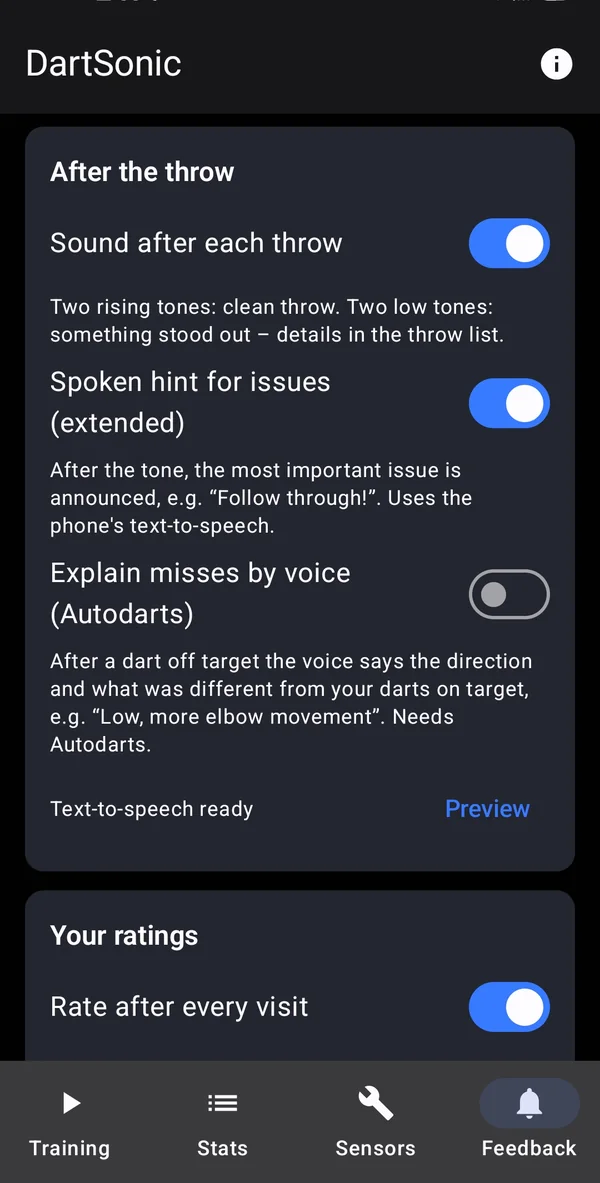
Abrupt stop, restless hip, drifting elbow, tilting upper body, throw plane tilting sideways, pushed instead of thrown, changing tempo: DartSonic tells you what stands out – by signal tone and optionally by voice hint.
Why off target?
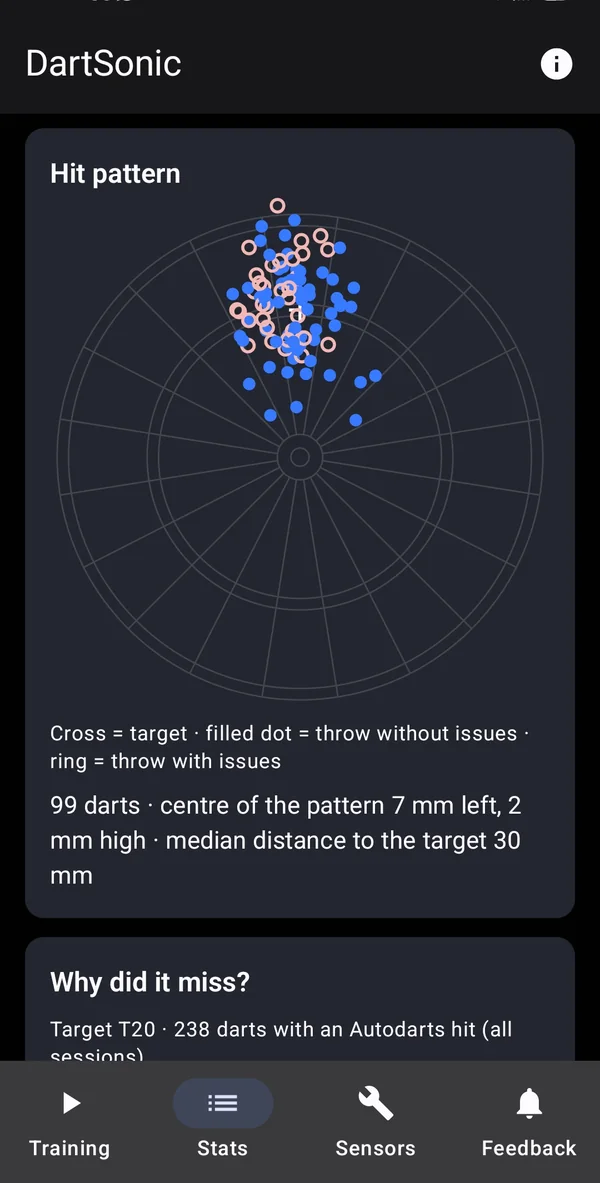
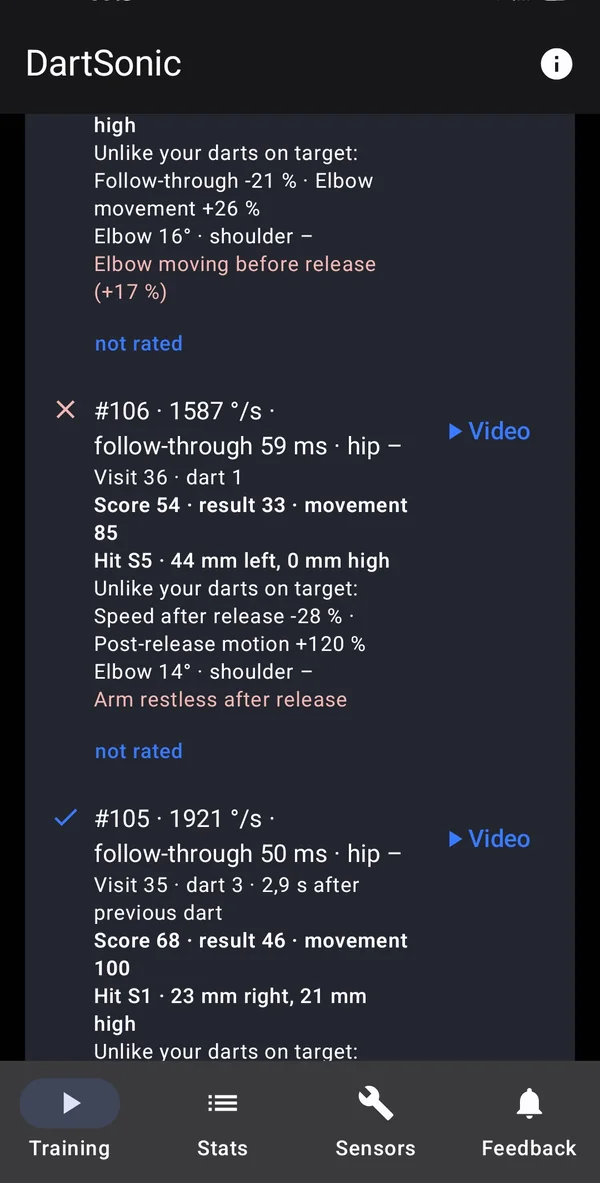
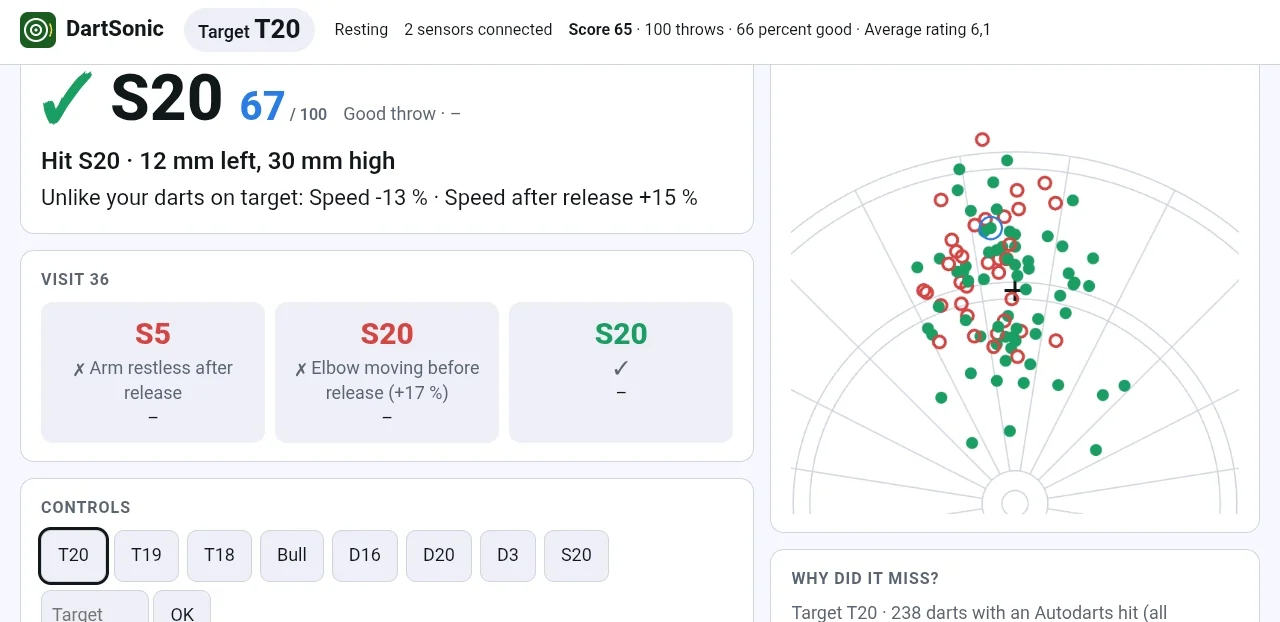
With Autodarts, DartSonic links every dart to its movement. The app shows what was different in a miss compared with your hits, for example “Low – more elbow movement”.
Throw plane: throw straight
DartSonic measures whether your throw tilts sideways out of your usual plane, and in which direction. From 4° on you get the message “Throw plane tilts”. In the statistics, “Throw plane from above” shows every throw as a line, coloured by whether the dart landed right, left or straight.
Up to four sensors
Wrist, hip, elbow and shoulder: release speed, follow-through, stance stability, elbow movement and upper-body tilt at a glance.
Video & slow motion
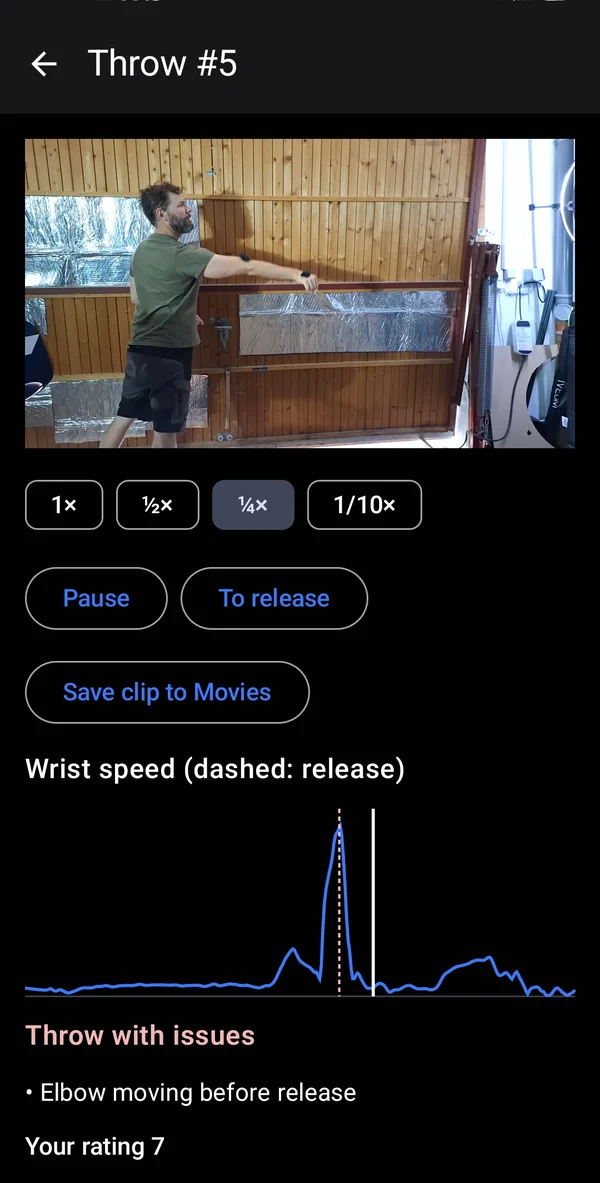
Put your phone on a tripod and every throw is cut into a clip – in slow motion down to 1/10 with the sensor curve and release line below.
Compare throws
Two throws of the same session play on top of each other, aligned at the release and at the same speed – with both sensor curves below. Best and weakest score are marked, so you see the difference right away.
Statistics, score & history
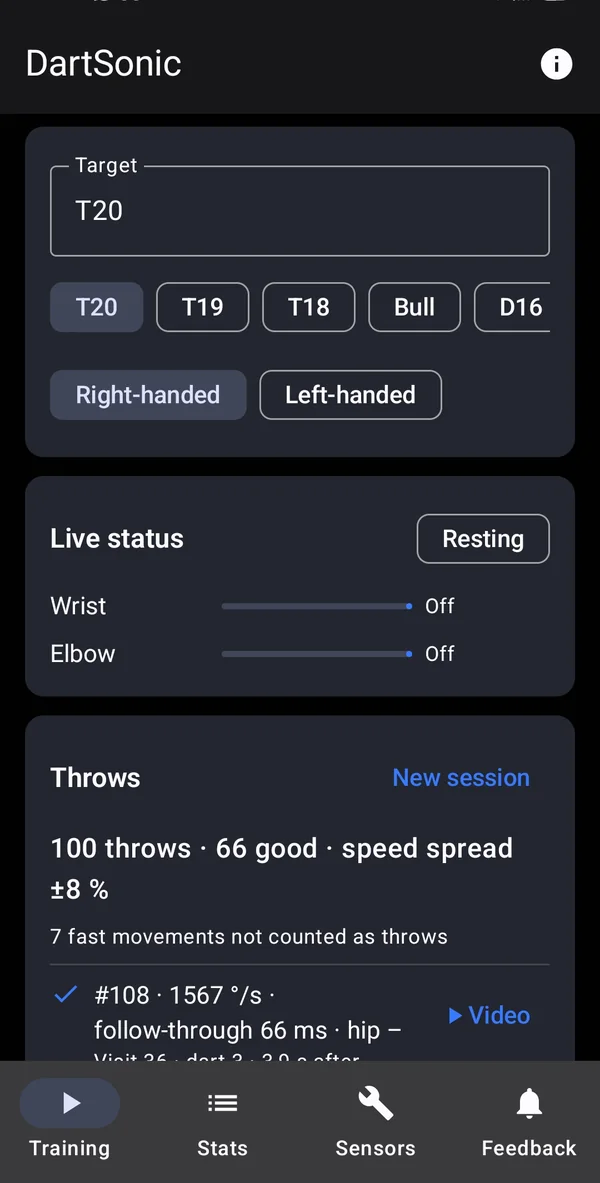
Score, share of clean throws, tempo, rhythm, most frequent issues and a hint for possible fatigue. Every session stays saved in your history so you can see progress.
Live sound while you throw
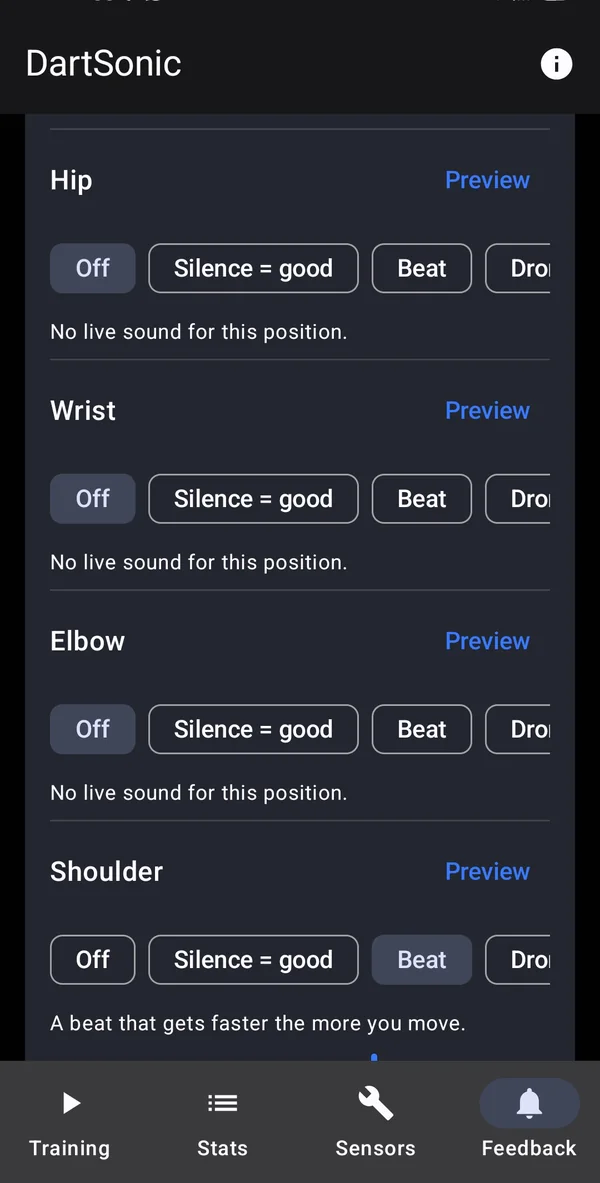
A sensor’s movement becomes sound – as “silence = good”, as a beat or as a steady tone. You hear restlessness at the moment of the throw, without looking at the screen.
Rate by tap or voice
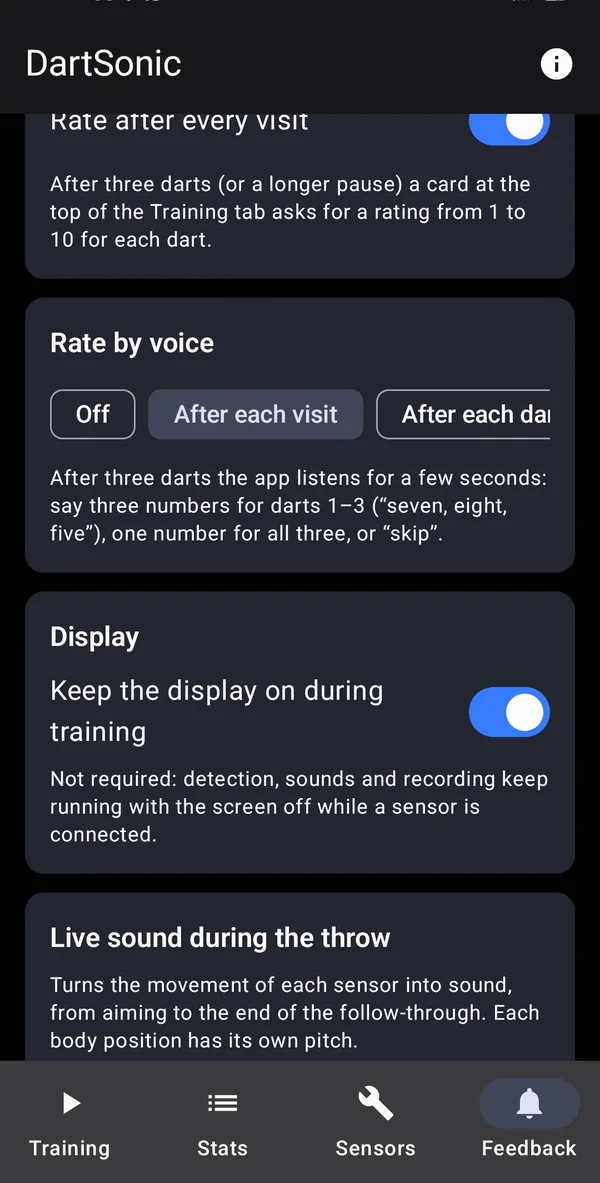
Give each dart a mark from 1 to 10 – by tap or out loud. That teaches the analysis how a throw feels to you.
Second screen
If your phone and its camera stand at the oche, a tablet or PC shows your throws large and readable in the browser – on your own Wi-Fi, no internet needed.
Train with the screen off
As long as a sensor is connected, DartSonic keeps running in the background. Throw detection, tones, voice hints and recording work while the phone stands on the tripod or stays in your pocket.
Heart rate & tension
With a Bluetooth chest strap you see how heart rate and heart-rate variability affect your throw – for example when it matters.
Your throws at a glance
Real screenshots of the app. The interface is available in English and German.
The second screen
If your phone and its camera stand at the oche, a tablet or PC shows your throws in the browser – large, readable and on your own Wi-Fi. You see the last throw, the current visit and the scatter plot, and you can rate right there.
More than numbers: answers for your training
Many tools show you values or a video. DartSonic brings sensors, video and hit pattern together, detects typical mistakes and tells you what to work on – right away and over weeks.
Measured comprehensively
Motion sensors on the body, side-view video and the hit pattern from Autodarts flow into one analysis. No other tool needs to be opened for it.
Answers instead of numbers
DartSonic detects common mistakes and explains them in plain language. For misses, the “Why off target?” card shows which movement features go with low, high or sideways darts – and whether your throw tilts out of its plane.
Steers your training
Pick a target, rate your throws and follow score, tempo, rhythm and fatigue over many sessions. That shows you whether a change really helps.
Instantly audible
Your eyes belong on the board. A live tone, a signal tone after the throw and optionally a voice hint give you feedback without looking at the screen – even with the display off.
Learns you, not an average player
DartSonic compares you with your own recent throws instead of an ideal. It learns aiming posture, tempo and normal values by itself. No calibration.
Your data stays with you
No account, no cloud. Throws, videos and ratings stay on your phone. The companion view only works on your own Wi-Fi.
Live sound in three modes – selectable per sensor
Every body position sounds different so you can tell them apart. You set the sensitivity individually, and “Preview” lets you test it beforehand.
| Mode | What you hear | Well suited for |
|---|---|---|
| Silence = good | Quiet as long as you are still. A tone appears and gets higher and louder the more restless the movement is. | Hip and stance |
| Beat | A pulse that gets faster the more movement the sensor measures. | Sense of rhythm |
| Steady tone | A calm tone that starts to wobble when you are restless. | Stance drills without throwing |
Works with what you already have
Motion sensors
The WitMotion WT9011DCL Bluetooth sensor is supported. Support for further sensors, including Movesense, is in preparation.
Auto-scoring (optional)
Hits can be taken over from Autodarts, locally on your home network and without an account. DartSonic also works completely without auto-scoring.
Chest strap (optional)
Any chest strap with the Bluetooth standard “Heart Rate” profile works. ANT+ straps and purely analogue straps are not supported.
DartSonic is an independent product and is not affiliated with the manufacturers and services mentioned. All product and brand names are the property of their respective owners and are used only to describe compatibility.
A training aid, not a miracle cure
DartSonic rates your technique, not the hit. It gives you pointers on what to watch in training – but it does not replace a coach, and it does not guarantee a better average.
- The hints are pointers, not proof. They become more reliable with every throw.
- Detection works best when the wrist sensor sits firmly.
- Heart rate and HRV values are training information, not medical measurements.
- DartSonic is currently available for Android. An iPhone version has not been announced.
Frequently asked questions
What do I need to get started?
An Android phone (Android 12 or newer) and at least one Bluetooth motion sensor for the wrist. You will find suitable sensors and mounts on the accessories page.
Do I need Autodarts?
No. The throw analysis works with the sensors alone. Autodarts adds hit data – and with it the “Why off target?” card.
How many sensors do I need?
One is enough: on the wrist of your throwing hand. A second one on the hip shows how steady you stand. Elbow and shoulder are optional.
Do I have to calibrate anything?
No. DartSonic learns your aiming posture and throw signature from your first throws and remembers them for the next sessions.
Where does my data go?
Nowhere. There is no account and no cloud. Throws, ratings, videos and statistics stay on your phone. Details are in the privacy policy.
How much does the app cost?
TODO: add pricing model (e.g. free / one-time purchase / subscription).
Is there a version for iPhone?
Currently Android only.
Ready to understand your throw?
Get DartSonic and follow us on Instagram and YouTube for tips, news and a look behind the scenes.